 KIDS RIDE-ON TOYS WHOLESALE
oem / BUYER DESK
How to Prepare Construction Ride-On Private-Label Files
Fix the configuration, packaging, artwork and sample approvals for a private-label construction ride-on, with a worksheet and revision-control example.
Published 2026-11-09
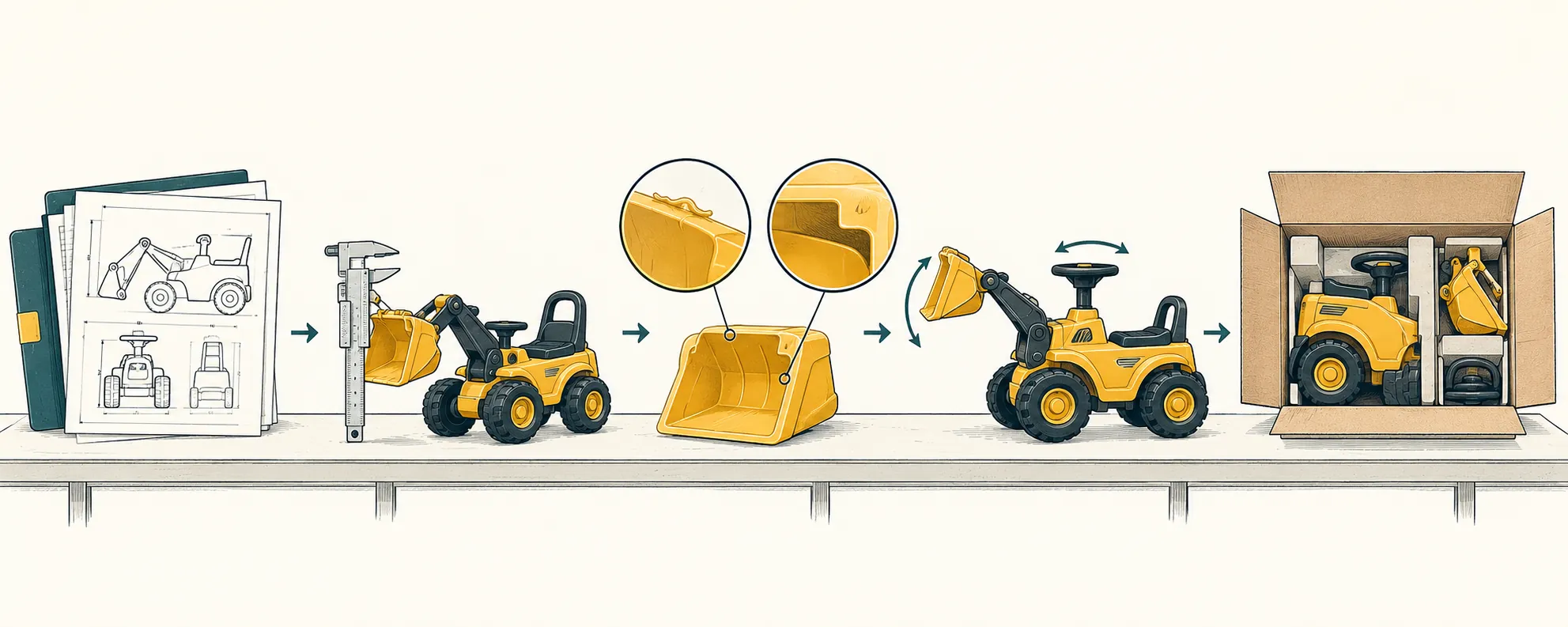
Prepare private-label files for a construction ride-on as one revision-controlled release package linking the exact product configuration, packaging, artwork and sample approval. Fix the model, destination market and included features before approving printed claims; then record the sample’s observed condition against those targets. Release a development sample with clearly bounded open questions, but authorize production only against an approved configuration and its matching files. A logo PDF alone is not a private-label specification.
Diagram: How to prepare private-label files for a construction ride-onWhich product decisions must be fixed before artwork begins?
Fix the product identity, destination market, configuration and included accessories before artwork makes claims about them. Start a master index that links the supplier model, buyer model, configuration revision, packaging revision, artwork files and sample record. Name the file owner and identify the currently released versions.
Keep four entries separate for each consequential feature: the supplier’s quoted statement, the buyer’s specified target, the sample observation or supporting document reference, and the approval decision. A quotation describes an offer; it does not establish what a particular sample contains.
For a construction-themed ride-on, specify whether the work covers decoration only or also a functional attachment or control change. Record each requested function explicitly rather than relying on the word “construction.” The electric ATV example below illustrates file preparation, not evidence of a bucket, lifting mechanism or other construction function.
Which quoted details need a buyer decision in the ride-on example?
| Product identity | Catalog identifier: ROT-353505. Product: Electric ATV Ride-On. Quoted family: All-Terrain Beach Car. Supplier model: DLS-X1. Link these identifiers to the buyer’s private-label model rather than replacing the supplier identity. |
|---|---|
| Market designation | The quote refers to Europe and US variants. Select the actual destination and record the exact configuration, supplied charger, manual language and label set for that order; do not use the combined market wording as the release specification. |
| Electrical references | The quote lists a 12V system, one 12V 7Ah battery and a motor reference of 550*2. Obtain the agreed component identification and configuration; do not convert the motor reference into an unsupported wattage or performance claim. |
| Drive configuration | The feature line says dual drive with four-wheel drive in parentheses. Choose and document the intended drive arrangement, including the driven wheels and motor arrangement. Do not publish both alternatives as though both were included. |
| Controls and chassis features | Quoted features include 2.4G remote control, independent suspension at all four wheels and a pull handle. Specify what is included and identify the checks required on the sample. The family name is not evidence of terrain capability. |
| Seating and belts | The quote describes two seats and two three-point belts. Record the intended physical arrangement and check it on the sample; do not infer permitted rider ages, combined load or suitability from that description. |
| Lighting and media | LED lights, USB, music and Bluetooth are quoted. Define the required functions and their control-panel presentation. MP4 is an optional addition requiring a separate quotation, not a standard included feature. |
| Product size reference | The recorded product size is 135 × 93 × 82. Obtain the units, dimension order and measurement condition, including whether accessories are fitted. Do not reuse this figure as carton dimensions. |
| Carton quantity | The quoted carton quantity is one unit. Carry this into the packaging record and confirm it against the agreed packing arrangement; it does not establish a minimum order or an order-multiple restriction. |
What packaging information must match the approved product?
The packaging file must identify how the selected configuration is packed and which private-label components accompany it. Separate the physical packing specification from the printed carton artwork: a correct logo does not establish that the remote, charger, loose parts and instructions are included.
Record the assembled or partially assembled packing condition, contents list, loose-part locations, protective components and carton specification. Request carton dimensions with units and dimension order separately from product dimensions. Attach a packing-layout drawing or photographs identified to the sample and packaging revision.
Assign an owner to each carton print, product label, instruction manual and insert. For every item, state whether it remains standard or changes for private label, who supplies the file and which revision applies. Match the contents list to the selected options before approving carton icons, product photographs or “included” statements.
How should logo, label and manual files be prepared?
Prepare artwork against an agreed production template, with exact placement, content and revision references—not a logo floating on a blank page. Request the supplier’s current dieline or surface drawing and its required file format before final layout.
For each printed item, provide an editable production file and a matching review PDF. Specify finished dimensions, orientation, print colors or agreed color references, and any finish. Keep cut, fold and nonprinting guides distinct, and use the printer’s agreed bleed and safe-area requirements rather than inventing universal measurements. Resolve fonts and linked images so the approved layout can be reproduced.
Identify the brand name, buyer model, language version, barcode data and approved text source. Record the party authorizing use of the brand assets. Product photos, control illustrations and assembly steps must match the selected configuration; do not carry an optional screen into the manual for a version without it.
Give each artwork item its own filename, revision, approver and approval date. Keep graphic approval separate from configuration approval and any safety or regulatory review. Do not add age, load, speed, certification or other product claims merely because they appear on a previous carton.
What should the sample approval worksheet record?
| Identity and revision | Enter the sample ID, sample type, supplier model, buyer model, destination market, configuration revision, packaging revision, and individual artwork/manual revisions. State whether the sample is for feature exploration, preproduction review or use as the retained reference. |
|---|---|
| Specified target | For each check, cite the exact requirement and its source revision—for example, the selected drive arrangement, MP4 inclusion or exclusion, logo location, or packed contents. |
| Observed result | Record what was actually seen, measured or demonstrated, with units where relevant. Link dated photographs, video, measurements or document references to the sample ID. Keep supplier statements distinct from direct observations. |
| Difference and disposition | Describe each deviation from the target. Select approve, approve with named conditions, or reject for the stated scope; identify what remains outside that decision. |
| Responsible approval | Enter the responsible approver’s name, role and approval date. Separate product, packaging and artwork approvals when different people own those decisions. |
| Follow-up and closure | Assign each correction an owner and due date. Close it with the corrected revision, supporting evidence, closure approver and closure date. Retain unresolved conditions in the release record. |
How does adding the optional MP4 feature change the file?
| Choose the version without MP4 | Write “MP4 excluded” in the configuration target. Select product imagery and control illustrations without that option, and remove MP4 claims from the carton and manual. The sample record should compare the delivered arrangement with that target. |
|---|---|
| Request MP4 inclusion | Obtain the option’s exact scope and revised quotation before accepting it. Establish the changed configuration and check the supplied interface, instructions and any packing changes on the sample. Review which product documents are affected rather than assuming the previous configuration’s records cover the change. |
| Change after initial artwork approval | Issue a new configuration revision and identify the affected carton, image, manual and label files. Unaffected files may retain their revisions. Release a new file index only after the responsible approvers accept the changed items and any conditions are closed. |
How should later revisions be approved and closed?
Log each change against the previously released baseline, then approve the affected files and verify closure before replacing that baseline. Include the change ID, request date, requester, reason, old requirement, new requirement, affected items, new revision references, responsible approver and approval date.
Separate authorization from implementation. A decision to change a feature does not show that the sample, carton artwork and manual were all corrected. Record implementation evidence, the person checking it and the closure date; mark superseded files clearly and obtain supplier acknowledgment of the new release index.
A revision record supports traceability. It does not by itself detect an undisclosed component substitution, and a retained sample represents only its identified configuration and approval scope.
When is the file ready for sampling or production?
Release a development sample when its build target and open questions are explicit; release production only when the order’s configuration and matching files have the required approvals. Label the authorization stage on the release index so permission to explore a feature cannot be read as permission to manufacture the order.
For sampling, name the configuration to build, the files to use and the questions the sample must resolve. Temporary artwork or an untested option can be part of that exercise if its status and scope are clear.
For production, resolve configuration alternatives, approve the applicable packaging and artwork, and close sample conditions that affect the order. Link the applicable product documents to the selected construction and market, and record the responsible release approver and date. Keep unrelated future options outside the released baseline rather than allowing them to blur what is being ordered.
Continue the buying conversation
Compare the ride-on range, packing references and product files before requesting a quotation.